Crimson Desert Update 1.000.202: If you booted up Crimson Desert today and noticed a big download waiting for you, that’s update 1.000.202 — and it’s a pretty significant one. Pearl Abyss dropped this patch out of nowhere on April 10, 2026, without much warning. On PC it shows as version 1.03.00, but console players will recognize it as Crimson Desert update 1.000.202. This isn’t just a small bug-fix patch either. New skills, a brand new Weapon Display feature, major traversal improvements, graphics upgrades, and a ton of quality-of-life fixes are all packed in here. Whether you’re a casual player or someone grinding hard through the endgame, this update changes quite a few things you probably use every day. Let’s break it all down.
Crimson Desert Update 1.000.202: Overview
| Detail | Info |
|---|---|
| Game | Crimson Desert |
| Developer | Pearl Abyss |
| Publisher | Pearl Abyss |
| PC Version | 1.03.00 |
| Console Version | 1.000.202 |
| Release Date | April 10, 2026 |
| Platforms | PC, PlayStation 5, Xbox Series X/S |
What Is Crimson Desert Update 1.000.202?
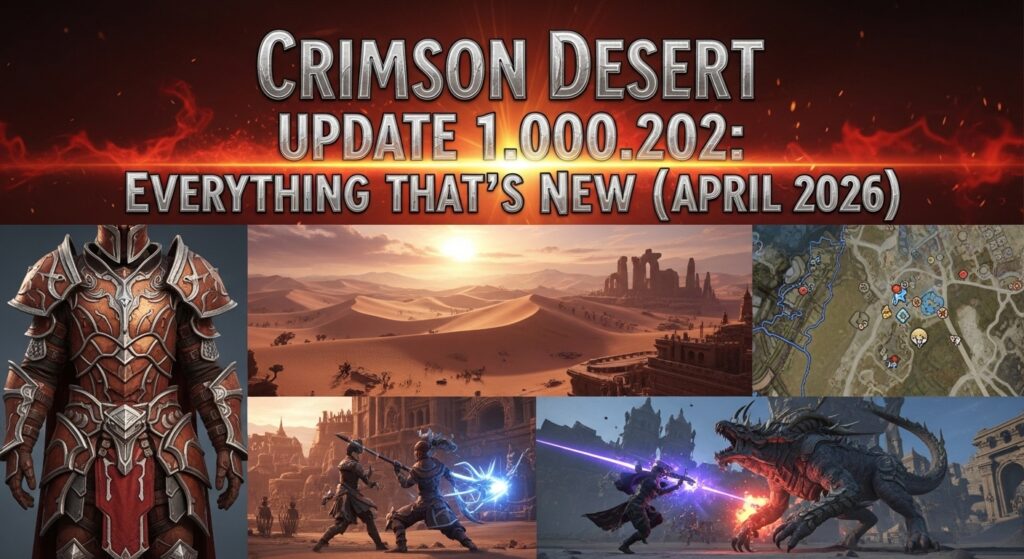
This is the third major update for Crimson Desert since launch, and Pearl Abyss dropped it just one day after they announced their future content plans — which is a pretty bold move. The game has already sold over 3 million copies in just a few days after release, so the development team is clearly under pressure to keep momentum going, and so far they’re delivering.
The headline features of this patch are the Weapon Display option, new skills for all three characters, and a massive improvement to how Abyss Nexus teleportation works. But honestly, once you dig into the full patch notes, there’s way more here than just those three things.
Crimson Desert Update 1.000.202 — All New Features Explained
Weapon Display Option Is Finally Here
This was one of the most requested features since launch. Before this update, your equipped weapons just sort of appeared on your character automatically without much control over how they looked during exploration. Now, under Others > Language & Gameplay, you’ll find the new Weapon Display option with the following settings:
- Display Melee Weapons: All / Selected Only
- Display Ranged Weapons: Always / Only When Used
This is a big deal for immersion. If you’re roleplaying through the story or you just want your character to not look like they’re constantly ready for war while walking through town, you can now clean up the look. The “Selected Only” option for melee and the “Only When Used” option for ranged weapons are the two settings most players are going to end up using.
New Skills Added for Kliff, Damiane, and Oongka
All three playable characters got new abilities in this update, and some of them are genuinely game-changing for how you approach both combat and exploration.
Kliff’s New Ability — Focused Aerial Roll
Kliff gets a new move called Focused Aerial Roll. Here’s what you need to unlock it:
- Focus Lv. 3
- Flight Lv. 2
- Aerial Roll (already unlocked)
Once you have all three prerequisites, activate Focus while in mid-flight and then press the dodge key. The result is a precise aerial repositioning move that lets you dodge incoming attacks while airborne. If you’ve been struggling with flying enemy attacks or aerial boss phases, this skill is going to help a lot.
Damiane and Oongka Get Major Open-World Upgrades
Pearl Abyss directly addressed the community feedback that Damiane and Oongka felt weaker and less versatile than Kliff in the open world. Here’s what changed:
- Damiane gets ‘Axiom Force’ and ‘Nature’s Snare’ plus related abilities. Her ‘Shield Toss’ now functions the same as Kliff’s ‘Force Palm’ — meaning you can use it to interact with environmental puzzles and gimmicks
- Oongka also gets ‘Axiom Force’ and ‘Nature’s Snare’. His ‘Scatter Shot’ similarly gains Force Palm functionality
- Damiane’s ‘Skystep’ and Oongka’s ‘Vertical Flight’ have had their control inputs changed — check your keybindings after updating
The Force Palm equivalency is the most important change here. A lot of Abyss puzzles, device interactions, and environmental mechanics were previously awkward or impossible with Damiane and Oongka because they lacked that specific interaction. That problem is now fixed.
Abyss Nexus Teleportation — The Big Quality-of-Life Win
This is the change that’s going to make the most immediate difference to how you play the game every single day.
Before this update, using an Abyss Nexus fast travel point required you to be standing still on the ground. If you were mounted, swimming, climbing a wall, or falling, you couldn’t teleport. That sounds minor until you’re in the middle of a mountain climb or galloping across the map and need to fast travel quickly.
Now, Abyss Nexus teleportation works in all of these states:
- While mounted on your horse
- While falling
- While swimming
- While climbing walls
This is genuinely huge for exploration-focused players. The open world of Pywel is massive, and being able to fast travel mid-action removes a ton of frustrating interruptions from normal gameplay.
Boss Fight Improvements
The lock-on system during boss fights got two important fixes in this update.
Hard Lock-On Now Works at Greater Distances
Before this patch, if you backed up too far from a boss — which often happens naturally when you’re dodging big attacks — the hard lock-on would break and you’d lose your target. That’s been fixed. Hard lock-on now holds at longer distances, so you can play aggressively defensive without constantly losing your target.
Large Boss Lock-On Adjusted
For certain very large bosses, the lock-on system no longer applies in the traditional way. Pearl Abyss made this change because on massive bosses, standard lock-on was causing camera problems and made it harder to track hit zones. This change brings those fights in line with how other large boss games handle the mechanic.
Graphics and Technical Upgrades
This is where PC players in particular are going to notice some major improvements.
Intel Arc GPU Support Added
PC players with Intel Arc graphics cards now have proper official support. Before this patch, Intel Arc users were dealing with compatibility issues. Pearl Abyss says they’ll continue improving performance across various Intel GPUs over time, so expect more optimizations in future updates.
New Upscaling Options
The following new graphics options have been added under Settings > Video:
- Intel XeSS 3.0 — Upscaling option for Intel GPU users
- Intel XeSS Frame Generation — Frame generation for supported Intel hardware (note: may have display issues on Arc A-series GPUs)
- AMD Radeon Anti-Lag 2 — Reduces input lag for AMD GPU users
Console Gets Enhanced Raytracing
- PlayStation 5 Base / Xbox Series X — Enhanced Raytracing option added under Settings > Video
- PlayStation 5 Pro — PSSR Sharpness option added
Visual Quality Improvements Across All Platforms
Every platform gets these visual upgrades:
- Improved lighting quality in indoor environments
- Improved water surface reflections
- Fixed an issue where rain appeared excessively bright from certain camera angles
Two new PC-exclusive graphics settings were also added:
- Displacement Scale under Settings > Graphics
- Detail Decorative Mesh under Settings > Graphics
These are fine-tuning options for players who want more control over visual quality vs. performance balance.
Greymane Camp Improvements
The Greymane camp got some solid usability improvements in this patch. Key NPCs in Pailune camp are now easier to find and access, the farm and ranch areas have been expanded, and the overall layout has been cleaned up for better convenience. A previously frustrating bug where certain NPCs in Pailune (Gunter, Harry, Bronton, and Lola) were being replaced by random NPCs after a certain quest has also been fixed.
For players in the wanted system, bank functionality has been adjusted. You can still access bank services while wanted, but you can no longer deposit gold bars or update investment funds while in that state.
UI and Quality-of-Life Fixes
A big batch of UI improvements rounds out this update:
- Faction quest icons now use different colors for better clarity
- Memory Fragments of the Visione list now only shows fragments you’ve actually obtained
- Bag management — new function lets you process all items at once when grouping or ungrouping
- Item details can now be viewed directly in the storage section
- Mercenary list now shows a check icon on whichever mercenary you currently have selected
- Equipment stat display bug fixed — Attack and Critical Rate on necklaces and cloaks were showing doubled values incorrectly
- World map now distinguishes between treasure chests you’ve already opened vs. ones you haven’t
- World map now shows different icons for visited vs. unvisited caves
- World map now shows different icons for restored vs. unrestored Abyss locations
- Map markers now properly save on first reconnection (this was a very annoying bug)
Abyss Puzzle Improvements
A few of the game’s Abyss puzzles were redesigned for better clarity:
- Force Palm gimmick interactions now give clearer visual hints about when they’re available
- Lanterns and Blinding Flash now provide better hints during puzzle sequences
- The entrance path to the Spire of Soaring was improved
- Various terrain fixes in Abyss locations
If you got stuck on any of these puzzles before, it’s worth going back and trying them again after the update.
Accessibility Improvements
New accessibility options added under Others > Accessibility:
- Minimum Font Size setting — takes effect after restarting the game
- Fast Forward Speed — dialogue fast-forward can now be set up to 4x speed
- Additional accessibility options also added (full list in the official patch notes)
Pros and Cons of Update 1.000.202
| Pros | Cons |
|---|---|
| Mid-action Abyss Nexus teleportation is a massive QoL win | Intel XeSS may have display issues on Arc A-series GPUs |
| New skills for all three characters | Damiane/Oongka control input changes require relearning |
| Weapon Display feature finally added | Some Abyss puzzle changes may feel different than expected |
| Enhanced raytracing on PS5 and Xbox Series X | No new story content in this patch |
| World map now much more readable | Wanted system bank restrictions may surprise some players |
Expert Opinion
Pearl Abyss is doing something right with their post-launch update cadence. Three major updates in just a few weeks shows a team that’s actively listening to community feedback. The Abyss Nexus mid-action teleportation fix alone is the kind of change that makes you wonder why it wasn’t in the game at launch — but the fact they added it this quickly shows responsiveness. The Damiane and Oongka improvements are particularly smart because those characters were starting to feel like second-class citizens compared to Kliff. This patch brings them much closer to parity.
Frequently Asked Questions (FAQs)
What is Crimson Desert update 1.000.202?
Update 1.000.202 is the console version number for Crimson Desert’s third major patch, known as version 1.03.00 on PC. It was released on April 10, 2026 and adds new skills, a Weapon Display feature, mid-action Abyss Nexus teleportation, graphics upgrades, and dozens of bug fixes across all platforms.
What does the Weapon Display option do in update 1.000.202?
The Weapon Display option lets you control how your equipped weapons appear on your character. You can set melee weapons to show All or Selected Only, and ranged weapons to show Always or Only When Used. It’s found under Others > Language & Gameplay in the settings menu.
What new skills were added for Kliff in update 1.000.202?
Kliff gets a new ability called Focused Aerial Roll. You need Focus Lv. 3, Flight Lv. 2, and Aerial Roll already unlocked. Activate it by using Focus during flight and pressing the dodge key. It lets you reposition precisely while airborne and dodge incoming attacks mid-flight.
Can you now teleport while mounted in Crimson Desert after update 1.000.202?
Yes. One of the biggest changes in this update is that Abyss Nexus teleportation now works while you’re mounted, falling, swimming, or climbing walls. Previously you had to be standing still on the ground, which was a major inconvenience during open-world exploration.
What graphics improvements came with Crimson Desert update 1.000.202?
PC players get Intel Arc GPU support, Intel XeSS 3.0, Intel XeSS Frame Generation, AMD Radeon Anti-Lag 2, and two new graphics settings. Console players on PS5 Base and Xbox Series X get Enhanced Raytracing. All platforms get improved indoor lighting and better water reflections.
Did Damiane and Oongka get buffed in update 1.000.202?
Yes, significantly. Both characters received Axiom Force and Nature’s Snare abilities. Their signature abilities — Shield Toss for Damiane and Scatter Shot for Oongka — now function like Kliff’s Force Palm, allowing full interaction with Abyss puzzles and environmental gimmicks in the open world.
Are there any bug fixes for boss fights in this update?
Yes. Hard lock-on during boss fights now holds at greater distances, so backing up to dodge won’t break your target. The lock-on mechanism was also adjusted for certain very large bosses to improve camera behavior during those fights.
What happened to the bank system for wanted players in update 1.000.202?
Bank access while in a wanted state has been adjusted. You can still use basic bank services, but depositing gold bars and updating investment funds are no longer possible while wanted. This change was made to address exploits and balance issues related to the wanted system.